TL;DR
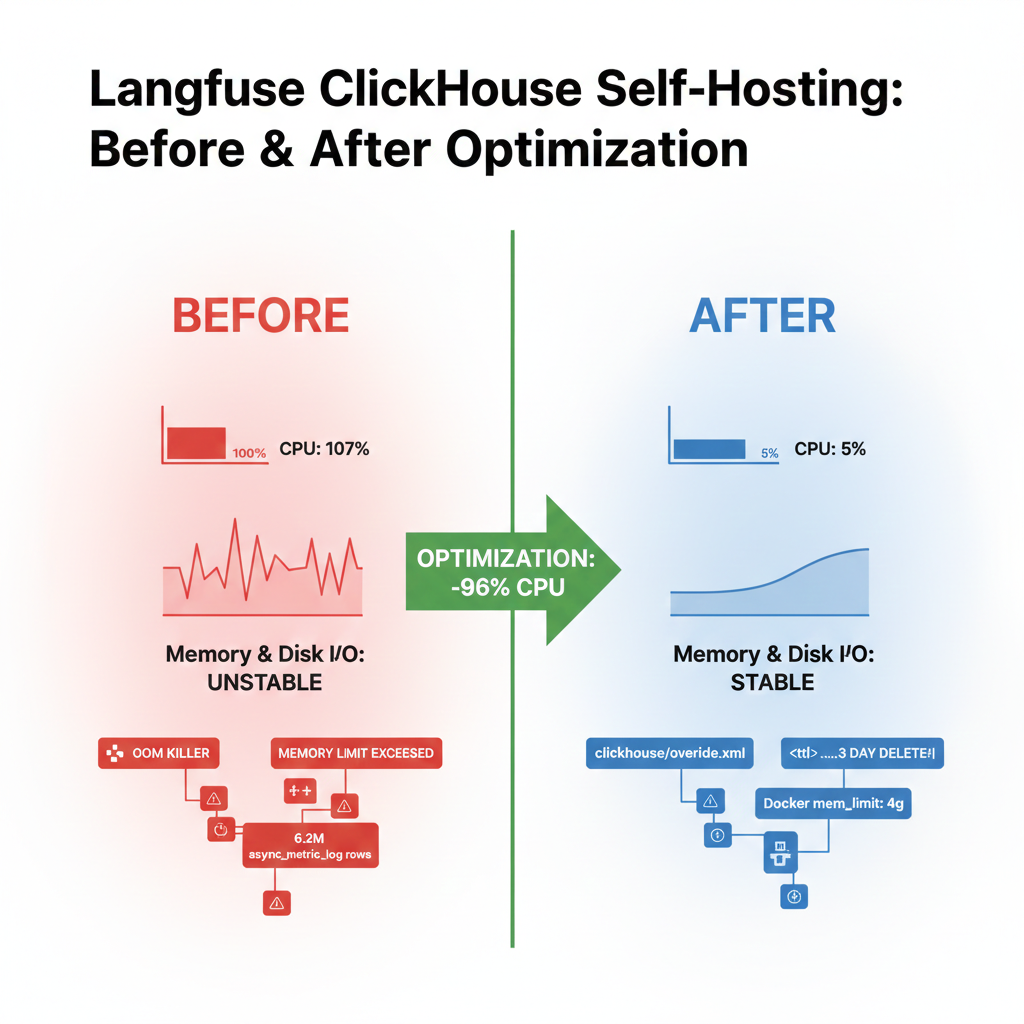
Langfuse v3 셀프호스팅 환경에서 ClickHouse의 시스템 로그 테이블이 무한 증가하며 CPU 107%, 메모리 OOM, 디스크 I/O 폭증을 유발했다. Langfuse 공식 문서와 AWS Terraform 옵션을 참고하여 시스템 로그 비활성화, 백그라운드 스레드 축소, 메모리 제한 조정으로 CPU를 107%에서 5%로 낮췄다.
환경
- GCP Compute Engine: 8 vCPU, 8GB RAM, 100GB Disk
- Langfuse v3 (Docker Compose, 단일 노드)
- ClickHouse 24.10.2 (clickhouse/clickhouse-server:24-alpine)
- PostgreSQL 17 + pgvector, Redis 7, MinIO, Nginx
1. 증상: 서버가 반복적으로 다운된다
개발 서버가 간헐적으로 응답 불능 상태에 빠졌다. SSH 접속조차 불가능한 경우도 있었다.
iostat으로 확인하니 디스크 read가 비정상적으로 높았고, dmesg에서 OOM Killer가 프로세스를 죽인 기록이 발견됐다.
avg-cpu:  %iowait 3.45%
sda: r/s 494.20  rkB/s 15913.24
처음에는 디스크 I/O 문제로 접근했지만, 근본 원인은 다른 곳에 있었다.
2. 원인 분석: ClickHouse가 CPU와 메모리를 독점
docker stats로 확인한 결과:
| 컨테이너 | CPU | 메모리 | PIDs |
|---|---|---|---|
| langfuse-clickhouse | 107% | 630MB / 2GB | 244 |
| langfuse-web | 0% | 517MB / 1GB | 21 |
8코어 서버에서 ClickHouse 하나가 CPU의 107%를 사용하고 있었다. 비즈니스 데이터는 traces 23건, observations 107건에 불과했다.
2-1. 시스템 로그 테이블의 무한 증가
ClickHouse 내부 시스템 메트릭을 조회해보니:
| 시스템 테이블 | 행 수 | 디스크 크기 |
|---|---|---|
| asynchronous_metric_log | 6,271,584 | 3.77 MB |
| trace_log | 2,793,823 | 35.35 MB |
| text_log | 82,072 | 15.16 MB |
| processors_profile_log | 72,115 | 1.65 MB |
| metric_log | 45,829 | 10.21 MB |
asynchronous_metric_log는 asynchronous_metrics_update_period_s = 1 설정으로 매초 수백 개의 메트릭을 기록하고 있었다. trace_log에는 Memory/MemoryPeak 트레이스가 280만 행 쌓여 있었다.
2-2. OOM 악순환
text_log의 82,000건은 전부 Error 레벨이었다. 내용을 확인하니:
Memory limit (total) exceeded: would use 1.22 GiB,
current RSS 1.80 GiB, maximum: 1.80 GiB. (MEMORY_LIMIT_EXCEEDED)
악순환 구조:
merge 실행 -> 메모리 부족 -> MEMORY_LIMIT_EXCEEDED 에러 발생
-> text_log에 에러 기록 -> text_log 파트 증가 -> 더 많은 merge 필요 -> 반복
2-3. 과도한 백그라운드 스레드
GlobalThread: 224 (167 active)
MergeTreeBackgroundExecutorThreadsActive: 48
background_pool_size: 16
background_merges_mutations_concurrency_ratio: 2
기본 설정이 대규모 프로덕션 환경 기준으로 잡혀 있어, 8GB 소규모 서버에는 과도했다.
3. Langfuse 공식 문서에서 해답을 찾다
Langfuse Scaling 문서
Langfuse 공식 Scaling 가이드에서 이 문제를 직접 언급하고 있다:
"The system.trace_log and system.text_log tables within ClickHouse may grow large,
even on smaller deployments. You can modify your ClickHouse settings to set a TTL
on both tables. It is also safe to manually prune them from time to time."
AWS Terraform 모듈
Langfuse의 AWS Terraform 배포 모듈에는 아예 시스템 로그 테이블을 끄는 옵션이 존재한다:
enable_clickhouse_log_tables = false
# "Having them active produces a high base-load on the EFS filesystem."ClickHouse GitHub 이슈
ClickHouse 25.x 버전에서는 merge 시 비정상적인 메모리 요청(2.66 EiB)을 하는 버그도 보고되어 있다:
"Clickhouse requesting 2.66 EiB of memory to complete deletion"
-- https://github.com/langfuse/langfuse/issues/7764
-- https://github.com/ClickHouse/ClickHouse/issues/82627
4. 해결: clickhouse/override.xml 설정 변경
4-1. 시스템 로그 테이블 비활성화
Langfuse가 사용하지 않는 시스템 로그 테이블 9개를 비활성화했다:
<trace_log remove="1"/>
<metric_log remove="1"/>
<asynchronous_metric_log remove="1"/>
<processors_profile_log remove="1"/>
<opentelemetry_span_log remove="1"/>
<query_metric_log remove="1"/>
<part_log remove="1"/>
<asynchronous_insert_log remove="1"/>
<error_log remove="1"/>
디버깅용으로 query_log과 text_log만 남기되, 3일 TTL을 설정하여 자동 정리되도록 했다:
<query_log>
    <database>system</database>
    <table>query_log</table>
    <ttl>event_date + INTERVAL 3 DAY DELETE</ttl>
</query_log>
<text_log>
    <level>warning</level>
    <database>system</database>
    <table>text_log</table>
    <ttl>event_date + INTERVAL 3 DAY DELETE</ttl>
</text_log>
4-2. 백그라운드 스레드 풀 축소
<background_pool_size>4</background_pool_size>
<background_merges_mutations_concurrency_ratio>1</background_merges_mutations_concurrency_ratio>
<background_common_pool_size>2</background_common_pool_size>
<background_schedule_pool_size>4</background_schedule_pool_size>
<background_fetches_pool_size>2</background_fetches_pool_size>
<background_move_pool_size>2</background_move_pool_size>
<background_buffer_flush_schedule_pool_size>2</background_buffer_flush_schedule_pool_size>
<background_distributed_schedule_pool_size>2</background_distributed_schedule_pool_size>
<background_message_broker_schedule_pool_size>2</background_message_broker_schedule_pool_size>
<max_thread_pool_size>100</max_thread_pool_size>
4-3. merge_tree sanity check 설정
background_pool_size를 줄이면 ClickHouse가 시작을 거부한다. 관련 3개 설정도 함께 낮춰야 한다:
<merge_tree>
    <number_of_free_entries_in_pool_to_execute_mutation>2</number_of_free_entries_in_pool_to_execute_mutation>
    <number_of_free_entries_in_pool_to_lower_max_size_of_merge>2</number_of_free_entries_in_pool_to_lower_max_size_of_merge>
    <number_of_free_entries_in_pool_to_execute_optimize_entire_partition>2</number_of_free_entries_in_pool_to_execute_optimize_entire_partition>
</merge_tree>
이 설정을 빠뜨리면 아래와 같은 에러로 ClickHouse가 기동 실패한다:
Code: 36. DB::Exception: The value of
'number_of_free_entries_in_pool_to_execute_mutation' setting (20)
is greater than the value of
'background_pool_size'*'background_merges_mutations_concurrency_ratio' (4).
This indicates incorrect configuration because mutations cannot work
with these settings. (BAD_ARGUMENTS)
4-4. Docker 메모리 제한 조정
# docker-compose.yml
clickhouse:
  mem_limit: 4g
  memswap_limit: 4g  # swap 사용 차단
Langfuse 공식 권장은 8GB이지만, 8GB RAM 서버에서는 불가능하므로 4GB로 설정하고 시스템 로그 비활성화로 보완했다.
4-5. Langfuse 컨테이너 최적화
Langfuse 공식 FAQ에 따라 Node.js 힙 메모리도 설정했다:
# langfuse-web
- NODE_OPTIONS=--max-old-space-size=1024
- LANGFUSE_LOG_LEVEL=warn

# langfuse-worker
- NODE_OPTIONS=--max-old-space-size=2048
- LANGFUSE_LOG_LEVEL=warn
- LANGFUSE_SKIP_INGESTION_CLICKHOUSE_READ_MIN_PROJECT_CREATE_DATE=2025-01-01
-- https://langfuse.com/faq/all/self-hosting-javascript-heap-out-of-memory
5. 결과
Before vs After
| 항목 | Before | After | 변화 |
|---|---|---|---|
| ClickHouse CPU | 107% | 5% | -96% |
| ClickHouse Memory | 630MB / 2GB | 292MB / 4GB | 여유 확보 |
| ClickHouse PIDs | 244 | 114 | -53% |
| 글로벌 스레드 | 224 (167 active) | 100 (61 active) | -63% |
| Merge 스레드 | 48 active | 10 active | -79% |
| 서버 다운 | 간헐적 OOM 발생 | 안정 | 해결 |
기존 데이터 정리
설정 적용 후 기존에 쌓인 시스템 로그 데이터도 수동으로 정리했다:
TRUNCATE TABLE system.trace_log;
TRUNCATE TABLE system.metric_log;
TRUNCATE TABLE system.asynchronous_metric_log;
TRUNCATE TABLE system.processors_profile_log;
TRUNCATE TABLE system.opentelemetry_span_log;
6. 교훈
- ClickHouse 기본 설정은 대규모 프로덕션 기준이다.
8GB 이하 소규모 환경에서는 반드시 시스템 로그와 스레드 풀을 조정해야 한다. - 시스템 로그 테이블이 실제 비즈니스 데이터보다 훨씬 크다.
traces 23건의 Langfuse에서 system.asynchronous_metric_log가 627만 행이었다. - OOM은 악순환을 만든다.
메모리 부족 -> 에러 로그 기록 -> 로그 테이블 증가 -> 더 많은 merge -> 더 많은 메모리 사용. - background_pool_size를 줄일 때 merge_tree 설정도 함께 조정해야 한다.
이를 빠뜨리면 ClickHouse가 아예 시작하지 않는다. 공식 문서에서도 잘 언급되지 않는 부분이다. - Docker 컨테이너에 swap 사용을 차단하라.
memswap_limit = mem_limit으로 설정하면 컨테이너가 swap을 사용하지 않아 성능 예측이 가능하다.
참고 자료
- Langfuse Scaling Guide: https://langfuse.com/self-hosting/configuration/scaling
- Langfuse AWS Terraform (enable_clickhouse_log_tables): https://langfuse.com/self-hosting/deployment/aws
- Langfuse Application Containers (NODE_OPTIONS): https://langfuse.com/self-hosting/deployment/infrastructure/containers
- Langfuse FAQ - JavaScript heap out of memory: https://langfuse.com/faq/all/self-hosting-javascript-heap-out-of-memory
- Langfuse ClickHouse Infrastructure: https://langfuse.com/self-hosting/deployment/infrastructure/clickhouse
- ClickHouse memory bug: https://github.com/langfuse/langfuse/issues/7764
- ClickHouse issue #82627: https://github.com/ClickHouse/ClickHouse/issues/82627
- Langfuse GitHub Discussion - Storage increases with no activity: https://github.com/orgs/langfuse/discussions/7582
- Langfuse GitHub Discussion - Hardware resource recommendations: https://github.com/orgs/langfuse/discussions/5924
- ClickHouse Server Configuration - trace_log: https://clickhouse.com/docs/operations/server-configuration-parameters/settings#trace_log
'Infra' 카테고리의 다른 글
| [Docker] bind-mount 설정 미반영 원인 force-recreate (0) | 2026.06.25 |
|---|---|
| [Grafana] 무트래픽 구간 spanNulls 보간 제거 rate 0 채움 (0) | 2026.06.25 |
| [Proxmox] 랜섬웨어 방어 및 재해 복구(DR) 전략 (0) | 2025.11.29 |
| [Proxmox] ZFS RAID 복구 시나리오 (0) | 2025.11.29 |
| [Streamlit] Nginx proxy_pass (0) | 2023.12.22 |